
Learner
Free
Always free- Up to 10 stocks
- 10 of 22 widgets, 5 on screen at once
- Cash, crypto wallets and property
- Intraday prices
- The full Learning Hub
Bring together your stocks, funds, pensions, crypto, cash and property in one dashboard you build yourself, with lessons right next to it so the numbers make sense.
Free forever on Learner. , no card needed.
Link a broker or a crypto wallet, import a CSV, or add holdings by hand, and mix all three. Broker sync and CSV import come with Investor.
Pick from 22 widgets, choose the data each one shows, and arrange a view that fits how you invest.
Lessons, articles and research tools sit right beside your portfolio.
Drag, resize and swap widgets until the view matches how you invest. Your layout saves itself.
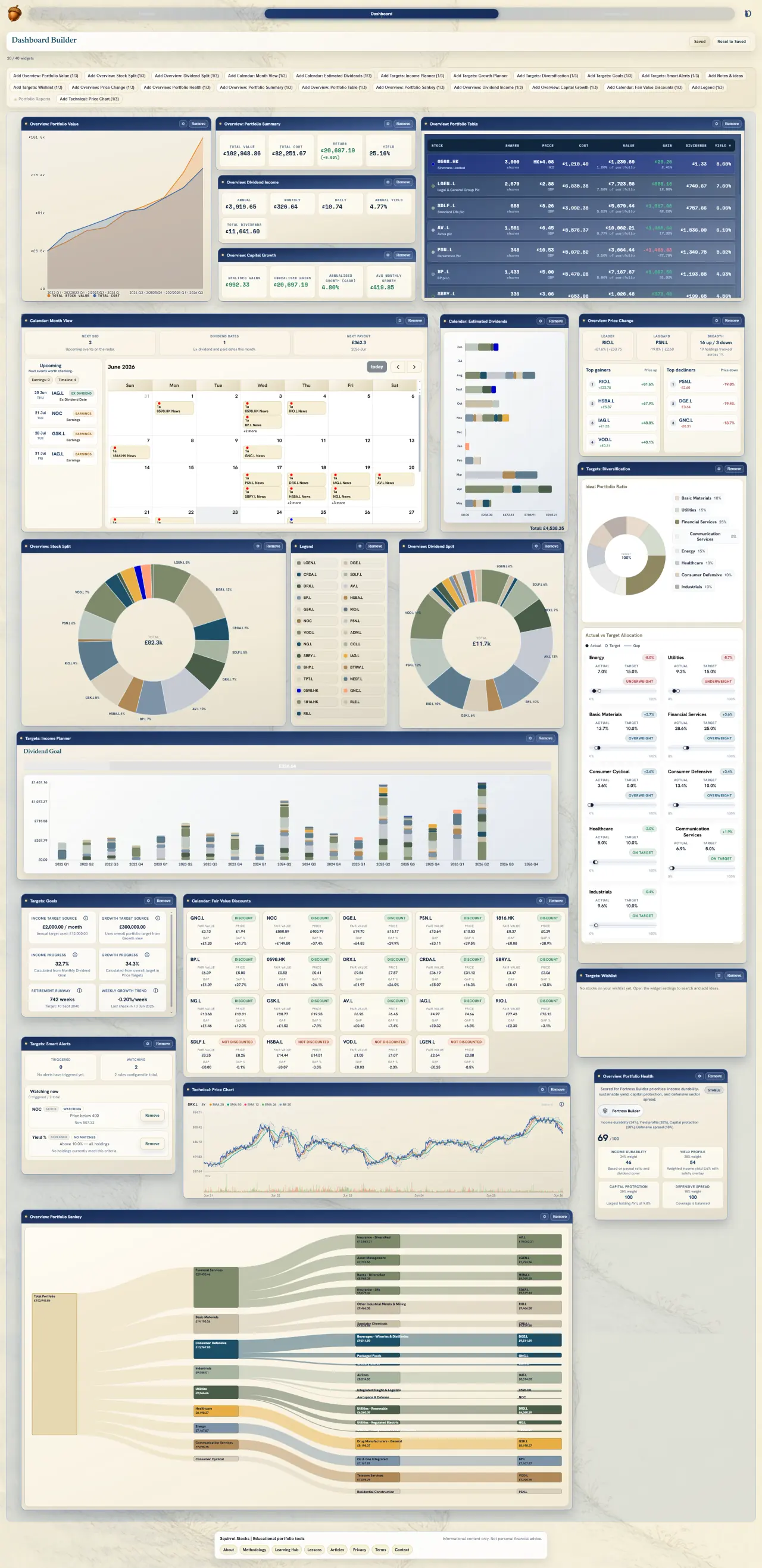
Lessons, articles and research tools sit beside your portfolio, and the figures on your dashboard link to the lessons and formulas behind them.

Twelve themes of short lessons that take you from first steps to confident investing.
Browse the hubWhat's new in the app plus today's market headlines, with every term defined in the glossary.
Read articlesScreen the market, compare fair value, and dig into what you own or watch.
Open the screenerNo card needed for Learner, or for the 2-month Investor trial. Cancel any time.
| Feature | Learner | Investor | Investor Pro |
|---|---|---|---|
| Portfolio data refresh | Intraday | Intraday | Intraday |
| News updates | Weekly | Weekly | Weekly |
| Max stocks in portfolio | 10 | 40 | Unlimited |
| Import portfolios | — | ✓ | ✓ |
| Connect your broker | — | ✓ | ✓ |
| Emailed reports | — | Monthly | Monthly |
| AI portfolio insights | — | — | ✓ |
| AI report generation | — | — | ✓ |
| Dashboard widgets | 10 of 22 | 21 of 22 | All 22 |
| Live bank balances (UK & EU) | — | — | ✓ |
| Widgets on screen at once | 5 | 40 | 100 |
Paid plans are billed by Stripe, monthly or yearly, and you can cancel any time. Prices include VAT where applicable.
Set up in minutes. Free to start, no card needed.